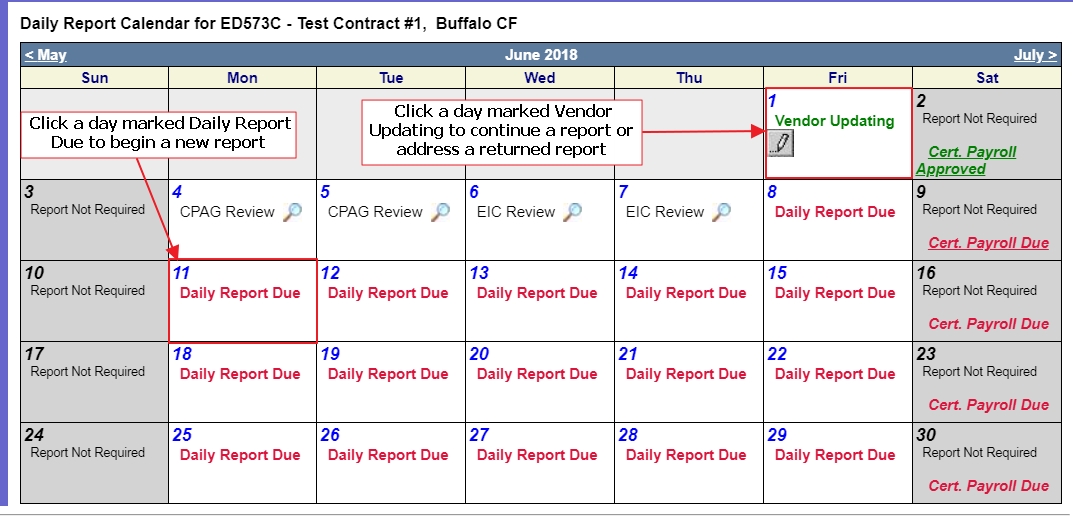
Every day of the contract must be accounted for, per the calendar and legend below. Days certified and submitted by you will be subject to review by the EIC and CPAG, and may be returned to you for correction.
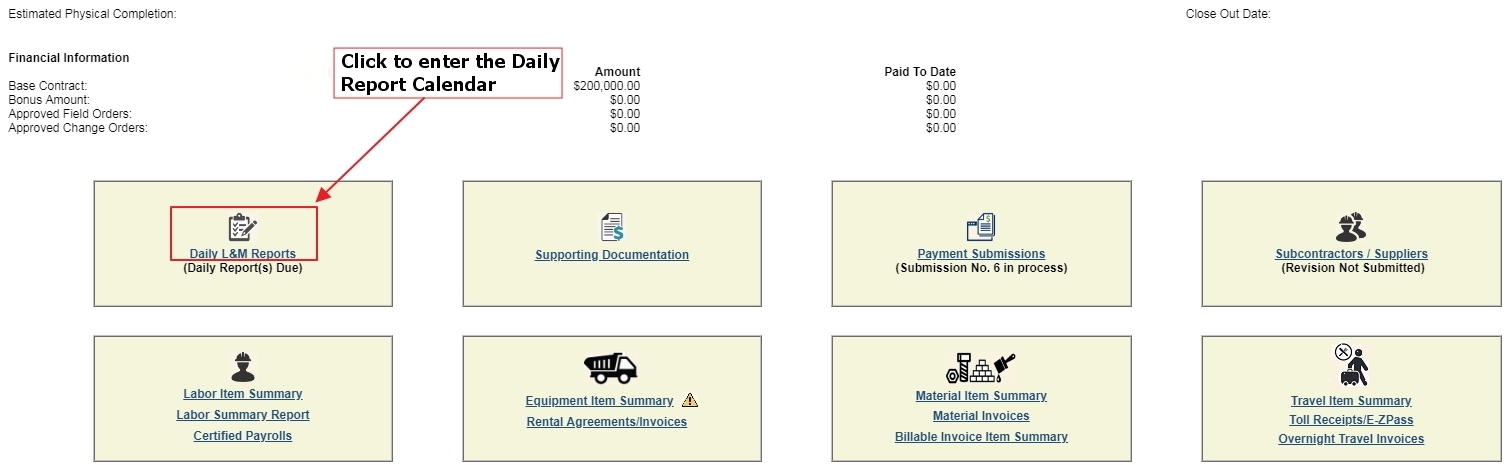
This opens the calendar view, from which you can select a day to work on.
* Legend
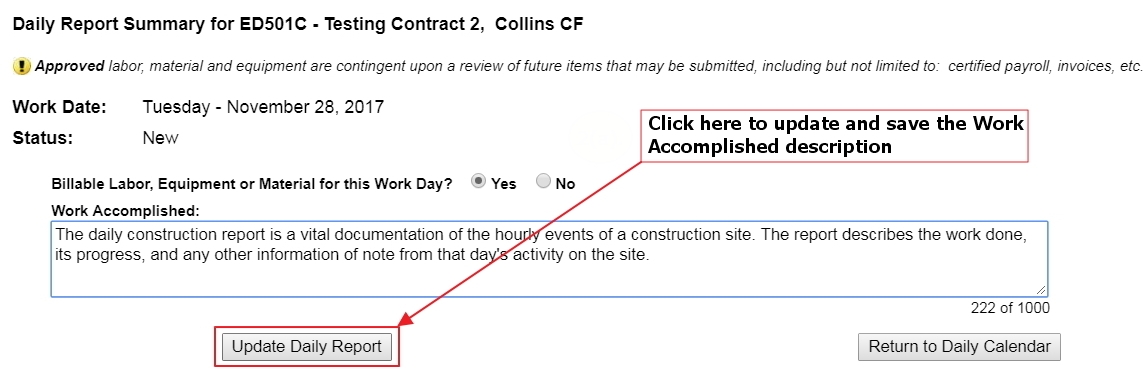
To begin a daily report, click a day marked Daily Report Due; to continue one or respond to a returned daily, click a day marked Vendor Updating. If you enter a day that was marked Vendor Updating, you will be brought directly to the Daily Report Summary page, from which you may continue your reporting and enter the Daily Certification. A day marked Daily Report Due will take you to a page where you affirm that there is billable labor, equipment, or material for that day. Click the Yes radio button.
This opens the Work Accomplished field, in which you write a description of that day’s work. When that is complete, click the Update Daily Report button.
To continue with any of the three major phases of the Daily Report, refer to the links below.
Note that the days are marked according to their current status: |
|
Symbol |
Status |
 |
CPAG-Approved without changes (green check mark) |
 |
CPAG-Approved with changes (red pencil) |
 |
EIC Review (magnifying glass) |
 |
CPAG Review (magnifying glass) |
 |
Vendor Updating (gray pencil) |
 |
Daily Report Due (red text) |
 |
Certified Payroll status |
|
Days for which no daily reporting is required (gray background): the EIC may turn off periods -- typically weekends and holidays -- where no work is expected and no reporting will be required from you. These days will be marked as noted. |